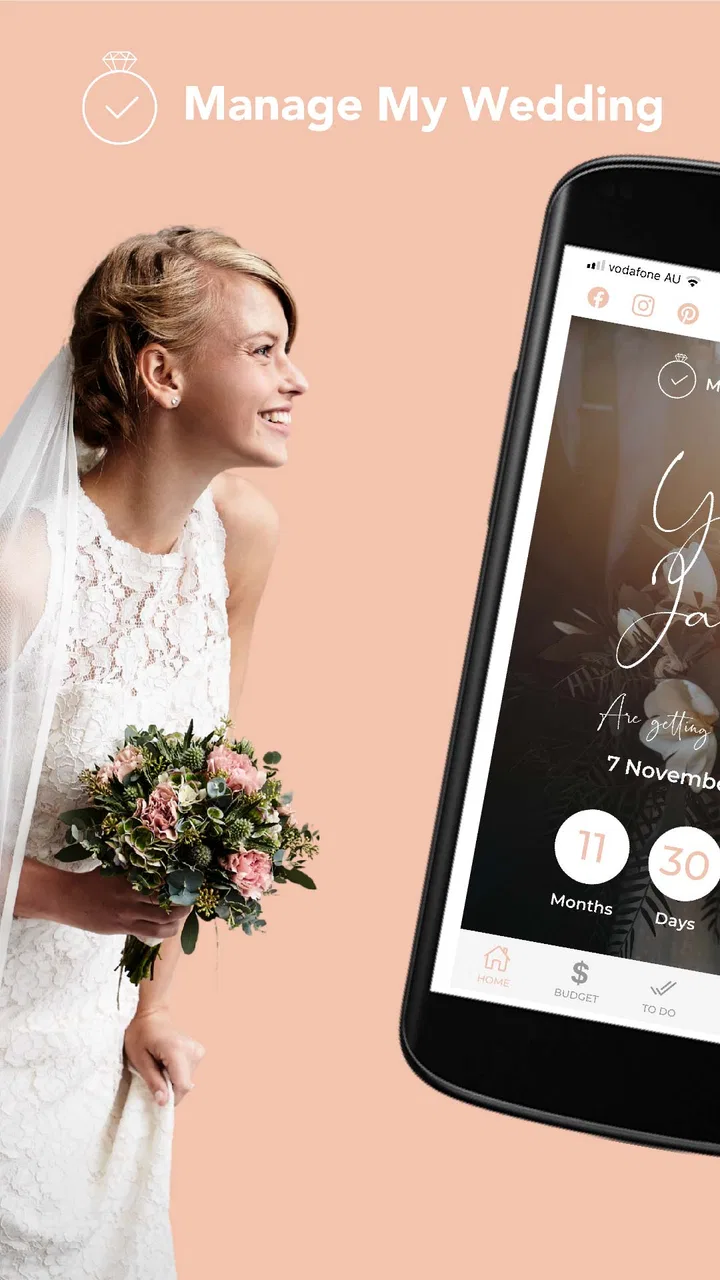
Manage My Wedding Planner
- 4.2
- Rating
- 10.00K
- Installs
- Free
- Price

 Analysis by App-foxy
Planning a wedding can turn a happy season into a long list of decisions, reminders, and conversations. Manage My Wedding Planner is an Android events app from Yvette Sitters that I found most useful as a personal planning space rather than a complete replacement for every wedding service. Its purpose is straightforward: help you organize the many moving parts of a wedding without making the process feel quite so scattered.
I approached it as something a couple could use around the house, on separate phones, or while sitting together with family. That perspective matters because wedding planning is rarely a one-person task. One person may be comparing venues while another is thinking about guests, outfits, suppliers, or the day’s schedule. The app can give those conversations a clearer starting point, but it does not remove the need for agreement, careful checking, or direct communication.
How it fits into real wedding planning
The app is free, aimed at everyone, and available for Android devices running version 6.0 or later. It has reached over ten thousand installs and holds a 4.2 average from around sixty ratings, which suggests a modest but positive user base rather than a huge wedding-planning platform. I would describe it as a focused organizer for people who want help getting their thoughts in order without immediately committing to a paid planning service.
You May Also Like

 Blood Strike: 2.5 Anniversary
Blood Strike’s Loadouts Turn Every Drop Into a Tactical Gamble
A close look at Blood Strike’s custom loadouts: how fast access to signature weapons reshapes its battle royale rhythm, rewards preparation, and narrows the gap between fights.

 Pandora - Music & Podcasts
Pandora’s Music Is Easy to Start, but Harder to Recover
Pandora’s strength is its low-effort path from a seed to a station. Its weak spot is how much confidence it asks you to place in connection, setup, and quiet recovery.

 8 Ball Pool
 Is Built on Rivalries, Rematches, and Routine
A close look at the rivalries, rematches, shared routines, and unanswered safety questions that turn a quick pool match into a persistent mobile community.

 Samsung Music
’s Quiet Strength Is Playing What You Already Own
Its reach comes less from spectacle than from dependable access to a personal library. That simplicity is both the app’s strongest retention engine and its ceiling.

 AccuWeather: Weather Radar
AccuWeather Review: A Quick, Clear Forecast for Everyday Decisions
For everyday plans, the best forecast is the one you can understand quickly. AccuWeather makes rain timing, radar, and local conditions easy to act on, with a few trade-offs.

 Hill Climb Racing
Why Hill Climb Racing Still Turns Crashes Into One More Run
A tiny car, a bumpy hill and one more upgrade: Hill Climb Racing keeps resurfacing because its simple chaos makes every near-miss feel personal.
More From Our News Desk



That distinction became clear during a typical household scenario. Imagine one partner opening the app after work to think through the next week, then showing the other partner the decisions that still need discussion. Instead of relying on scattered notes, messages, and memory, the couple can use the app as a shared point of reference during their planning conversation. It is especially handy when one person is more naturally organized and the other needs a simple way to see what has already been considered.
I would not treat it as a magic button that automatically coordinates a wedding. Its value is in reducing mental clutter. Wedding planning involves many small choices that are easy to postpone because none of them feels urgent on its own. A planner helps turn those loose thoughts into something you can revisit deliberately, which is often more useful than another attractive inspiration board.
Starting without overwhelming the household
My preferred way to begin is to keep the first session deliberately small. Rather than trying to record every idea immediately, I would use the app to establish the broad shape of the wedding: the main priorities, the decisions that need outside input, and the tasks that should happen first. This prevents the planner from becoming another source of pressure.
There is also an important boundary when several people use the same household device. If a couple shares a tablet or phone, the person opening the app may see the current planning context and make changes that the other person did not expect. That is not necessarily a flaw in the app; it is a reminder that a shared device is not the same thing as separate personal accounts. I would agree on who is responsible for editing before inviting parents, friends, or other helpers to participate.
For a couple using separate devices, I would still avoid assuming that every change is automatically visible to everyone. The safest routine is to decide how information will be passed between people and to confirm important updates together. A planner can support coordination, but it should not replace a clear conversation about who has made a booking, who has contacted a supplier, or which option the couple has actually approved.
This is one of the app’s practical trade-offs. Its low-friction approach makes it approachable for someone who does not want a complicated project-management system. At the same time, people expecting a fully synchronized workspace may find that they need an additional communication habit around it. I see that as a reason to use it thoughtfully, not as a reason to dismiss it.
Using it as a conversation tool
The strongest household use case is not simply dividing tasks. It is making invisible work visible. One partner may be doing most of the research while the other assumes that the big decisions are already settled. A planning app can expose those unfinished areas and make it easier to ask specific questions: which choice is waiting for a response, which detail needs a budget discussion, and which item can safely wait?
I recommend a short weekly review rather than constant checking. During that review, the couple can look at what has changed, choose a few immediate priorities, and leave the rest alone until the next session. This approach keeps the app from becoming a source of daily wedding anxiety. It also gives family members a clearer moment to contribute instead of receiving a stream of disconnected requests.
A less obvious benefit is that the planner can help separate decisions from ideas. Wedding planning often mixes firm commitments with possibilities saved for later. I would keep those mental categories distinct when working through the app. A venue you are seriously considering should not be treated the same way as a decorative idea you merely like. That simple distinction reduces misunderstandings when another person looks at the plan.
It is also useful for preparing conversations with suppliers. Before making contact, I would gather the questions that matter most and decide what information the couple needs before agreeing to anything. This is where a planner can save time: not because it negotiates on your behalf, but because it helps you avoid repeating the same discussion or forgetting an important point.
Boundaries for partners, relatives, and helpers
Wedding planning often expands beyond the couple. Parents may help with decisions, friends may offer practical support, and members of the wedding party may need selected information. I would be careful about giving everyone the same role in the planning process. A household device or shared planning routine can make access convenient, but convenience should not be confused with permission to change everything.
Before involving another person, decide what kind of help you actually want. Someone may be welcome to suggest ideas but not alter the couple’s priorities. Another person may be trusted to handle a specific task but not speak for the couple on unrelated matters. These boundaries are especially important when several people use the same phone or tablet, because the app itself cannot be expected to resolve family dynamics.
This is also where account expectations deserve attention. I would not install the app on a family member’s device and assume that the person will understand which information is private, which decisions are provisional, or which details are ready to share. Explain the workflow first. If the wedding involves sensitive guest information, spending discussions, or personal arrangements, keep the audience intentionally small and use direct conversations for anything that should not be casually viewed.
For couples who want strict separation between personal planning and household use, a different solution may be better. A dedicated account system with clearly defined permissions can be more suitable when several contributors need different levels of access. Manage My Wedding Planner feels better suited to a couple or a small, trusted group that can agree on how to use it, rather than a large team requiring formal administration.
Age rating and trust in everyday use
The app is rated for everyone, which makes it broadly approachable from an age-rating perspective. That does not mean every child should be involved in every wedding decision. An age label describes general suitability, while the couple still decides what information is appropriate to share and who should handle planning responsibilities.
If a younger family member uses a shared device, I would keep the activity focused on harmless tasks such as discussing colors, themes, or simple ideas, while adults retain responsibility for bookings, guest information, and financial choices. The app can be part of a family conversation without becoming a place where every detail of the wedding is exposed.
Trust also matters between adults. A parent who is helping with practical arrangements may need only a narrow slice of the plan. A friend assisting with the day may need timing information later, but not access to every discussion that happened during the early planning stage. Since a general planner is not a substitute for a carefully designed permission system, the couple should decide what is shared before placing the device in a common area.
My advice is simple: treat the app as an organizing aid, not as a secure family noticeboard. Use it for the planning work that benefits from structure, and use direct, deliberate communication for sensitive information. That approach makes the app more useful because it respects what a planner can do while avoiding expectations it was never designed to carry.
Where it beats familiar alternatives
The usual alternatives are paper notebooks, phone notes, spreadsheets, messaging threads, or broad task-management apps. Paper is pleasant for brainstorming, but it can become difficult to search and update. Notes are quick, yet they often turn into one long list with no clear sense of priority. Spreadsheets offer flexibility but can feel like work before the wedding planning has even begun.
Manage My Wedding Planner has an advantage over those generic tools because its purpose is already connected to the wedding context. I do not have to invent the entire structure from an empty document. That makes it easier for someone who wants guidance but does not want to learn a complicated productivity system.
Compared with a messaging group, the app is less likely to bury planning thoughts beneath unrelated conversation. Messages are excellent for quick decisions and reminders, but they are poor long-term records when several people are discussing different topics at once. I would use messaging for confirmation and the planner for keeping the broader plan understandable.
Its disadvantage appears when a couple needs advanced collaboration. A spreadsheet or project-management platform may be better for a large wedding with many responsible people, detailed budgets, supplier tracking, and clearly separated permissions. Those tools demand more setup, but they can offer greater control. The app is a better match for someone who values simplicity over a highly customized planning database.
There is another trade-off with general wedding websites and vendor services. Those alternatives may combine planning with inspiration, supplier discovery, or guest-facing tools. Manage My Wedding Planner is more appealing if you already know where you are sourcing information and mainly want a calmer way to organize your own process. It is less compelling if you want one service to handle every part of the wedding journey.
Practical habits that make it more useful
I found that the app works best when each planning session has a clear purpose. Start by choosing one area to review, then record only the decisions and next actions that matter. If you try to capture every thought, the planner can become as noisy as the collection of notes it was meant to replace.
A useful habit is to write actions in a way that identifies the next real-world step. “Look at venues” is vague. “Prepare questions for the venue conversation” is more useful because it tells you what to do when you return to the plan. This small change turns the app from a storage place for intentions into a prompt for action.
I would also review unfinished items before adding new ones. Wedding planning encourages constant discovery, and it is easy to create a longer list while avoiding the decisions already waiting. A short review helps reveal whether an item is genuinely important, dependent on another choice, or simply an idea that can be set aside.
Another non-obvious workflow is to use the app before family meetings, not during every conversation. Prepare the points that need a decision, discuss them in person or through your usual communication channel, and then update the plan afterward. This keeps the meeting human while preserving an accurate record of what the couple agreed to do next.
Finally, I would avoid making the app the only place where important information exists. Confirm bookings, payments, addresses, and supplier agreements through the relevant source as well. The planner is valuable for coordination, but it should not be treated as proof that an external arrangement has been completed.
Who should choose it, and who should skip it
I would recommend it to couples who want a dedicated wedding-planning starting point, especially if one or both partners feel overwhelmed by the number of small decisions. It also suits households where the main goal is to create a shared planning conversation without building a complicated technical system.
It may be a good fit for someone who prefers a focused app to a blank spreadsheet. The free price removes one common barrier to trying it, and the everyone rating makes it easy to consider for a broad household audience. Its current version is 7.1.0, so Android users meeting the minimum system requirement can approach it as a current planning option rather than an old abandoned tool.
I would skip it as a primary solution if your wedding involves a large committee, strict role-based access, or detailed operational tracking. In that situation, a more powerful collaboration platform may justify its extra complexity. I would also look elsewhere if your priority is supplier discovery, guest-facing communication, or a complete wedding marketplace rather than personal organization.
Couples who dislike planning apps altogether may not gain much from it either. The app can make a process clearer, but it cannot make decisions enjoyable for someone who wants to handle everything through conversation and paper. In that case, a notebook plus a short weekly meeting may be more natural and less distracting.
My household verdict
After using it as a couple-focused organizer, I see Manage My Wedding Planner as a practical middle ground. It is more purposeful than a generic notes app and less demanding than a full project-management system. Its best quality is the way it gives wedding planning a home without insisting that every family member become part of the same workspace.
The main limitation is equally important: coordination still depends on human habits. You need to agree who edits, what gets shared, and when decisions are reviewed. The app does not remove those boundaries, and it should not be used as though a shared device automatically creates a shared understanding.
Yvette Sitters has made a free events app that is easy to consider for couples at the beginning or middle of their planning journey. With an average rating of 4.2 from roughly sixty ratings, it has earned a positive response from the people who have rated it, while its audience remains relatively small. That makes me view it as a focused helper rather than an all-purpose wedding authority.
My final recommendation is to use it as the couple’s planning anchor, not as the entire wedding system. Keep sensitive information within a trusted circle, confirm important decisions outside the app, and review the plan together instead of expecting silent synchronization to solve every household misunderstanding. Used with those boundaries, it can make a complicated season feel more manageable and give both partners a clearer role in building the day they want.
FAQs for Manage My Wedding Planner
01What is Manage My Wedding Planner, and who is it designed for?
Manage My Wedding Planner is a digital planning tool for couples organizing a wedding, as well as anyone helping with the preparations. It brings important tasks, appointments, guest information, budget details, and planning notes into one place. The app is especially useful for users who want a clearer overview of their progress instead of managing everything through notebooks, spreadsheets, messages, and separate calendar apps.
02What planning features can I use in Manage My Wedding Planner?
The app is intended to help organize the main areas of wedding preparation, including task management, budgeting, guest planning, supplier or vendor details, appointments, and general wedding notes. In practical use, its value depends on how consistently information is updated. It works best as a central planning dashboard where couples can track what has been completed, what still needs attention, and which decisions may affect the rest of the wedding.
03Can Manage My Wedding Planner help me control my wedding budget?
Yes, the planner is designed to make wedding expenses easier to monitor by keeping budget information connected to the rest of the planning process. You can use it to record expected costs, compare them with actual spending, and identify areas that may require adjustment. However, it should not be treated as a financial service or payment tool. Users should still verify invoices, deposits, contracts, and final balances directly with each supplier.
04Is Manage My Wedding Planner suitable for planning with a partner or family members?
The app can be useful when several people are involved in the wedding, because having shared or consistently updated information reduces confusion about responsibilities, appointments, and spending. Before relying on it for group planning, check which collaboration and sharing options are available in the current version. If direct multi-user access is limited, couples may need to coordinate through exported information, screenshots, or a shared planning routine.
05Should I download Manage My Wedding Planner if I already use a calendar or spreadsheet?
It can still be worthwhile if you want wedding-specific organization rather than a collection of general-purpose tools. A calendar is helpful for dates, while a spreadsheet can handle calculations, but a dedicated wedding planner may make it easier to connect tasks, guests, suppliers, budget items, and notes. If your existing system is already simple and well maintained, compare the app’s available features and privacy terms before moving all your information.
Pros
- Keeps vendor contacts
- quotes
- and booking details organized in one place.
- Helpful checklists make it easier to track tasks from planning to the wedding day.
- Budget tools can highlight spending categories that need closer attention.
- Useful for coordinating plans with a partner or other members of the wedding party.
- Centralized notes reduce the need to manage scattered planning information.
Cons
- Some features may require considerable manual data entry before they become useful.
- Advanced planning tools may be limited compared with dedicated wedding platforms.
- The interface can feel crowded when many tasks
- guests
- or vendors are added.
- Cloud syncing and backup options may not meet the needs of every planning team.
- Users wanting highly personalized designs may find the customization options restrictive.

Manage My Wedding Planner
Gallery